12 mistakes to avoid when cleaning laptops and computers
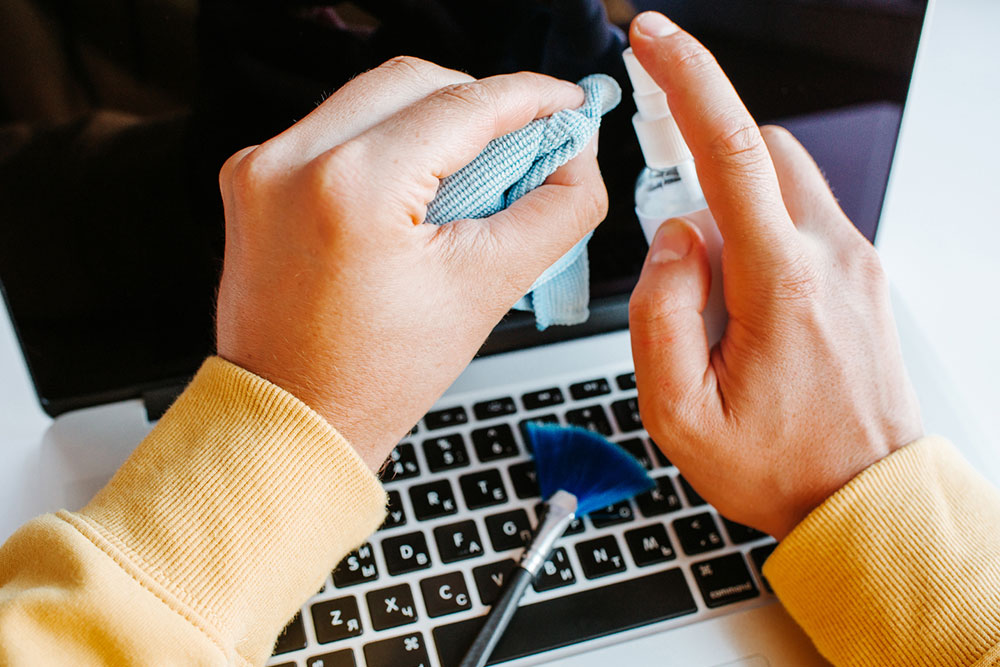
Regularly cleaning a laptop or computer is necessary to prevent dust from collecting on its surfaces. However, it’s important to handle the process with care to avoid damaging the device. Nowadays, several laptop and computer cleaning tools are very effective at removing dust from all the nooks and crevices where it tends to accumulate. To maintain the performance and ensure the longevity of the devices, one should be aware of some common mistakes to avoid.
Exerting too much pressure
When one applies too much force when cleaning electronic devices, they are at risk of breaking or getting damaged in the process. So, one should exercise caution when cleaning laptops and computers, preferably using readily available tools and following the directions of use closely.
Using a rough cloth or tool
A cloth or cleaning tool with a rough texture is a strict no-no for laptops and computers because they can cause scratches on their surfaces. Instead, use a soft, dry microfiber cloth or an old rag to clean these electronic gadgets.
Not cleaning the heatsinks and fans
The heatsinks and fans in a laptop or computer help keep them cool while using them. Just like the other parts of these devices, heatsinks and fans also accumulate dust and dirt over time and need to be cleaned. Eventually, if these parts are left uncleaned, they can cause problems with temperature and affect thermal conductivity, which is the ability to transfer heat. So, it’s important to clean these parts of the devices using a soft brush and some compressed air.
Forgetting to unplug the device before using it after cleaning
While most people remember to unplug their devices before cleaning them, they often forget to let them remain unplugged for a while before plugging them in again. Plugging in the device immediately after cleaning can increase one’s risk of experiencing an electric shock and damage to the components in the laptop.
Using a vacuum cleaner
A common mistake when cleaning laptops and computers is using a vacuum cleaner. Vacuum cleaners can generate static electricity, which can severely damage the electronic device. For the best results, it’s best to use a microfiber cloth or some other cloth material and wipe the surfaces in a circular motion.
Forgetting to wear an anti-static wrist strap
Although one might take all the necessary measures when cleaning a laptop, there is still a chance (however slim) of experiencing a static shock. Wearing an anti-static wrist strap helps prevent static current shocks while cleaning the device and afterward. This is particularly important when cleaning the fan or graphics card.
Using a kitchen towel
Kitchen towels are usually a little rough, and they might leave scratches on laptop and computer screens. So, it is best to avoid using kitchen towels to clean laptop surfaces.
Using harsh cleaning chemicals
Spraying harsh, abrasive chemicals on laptop and computer screens can damage the display’s outer coating. For this reason, it’s important to avoid solvents, abrasive solutions, and products containing hydrogen peroxide, among others. It’s best to stick to dry dusting when cleaning these electronic devices because moisture can damage them.
Forgetting to disinfect the laptop and computer keyboard and mouse
Since the keyboard and mouse come in direct contact with the user, bacteria can accumulate on these surfaces over time, which might pass on to the person using the laptop or computer. To prevent this issue, one should disinfect the peripherals and accessories frequently.
Leaving the computer or laptop vulnerable to spills
Another common mistake is having one’s meals on the desk or leaving the laptop at places with a high chance of spillage. If food or some other substance spills on laptops and computers, there’s a chance of moisture accumulating on them, which can cause damage to the devices.
Keeping the laptop open when not in use
When working on a laptop, the screen is exposed to dust. But if it is left open even when not used, the dust accumulation multiplies. It is best to keep the laptop flap closed when it is not in use. Covering computers with a tarpaulin cloth after use can prevent dust from accumulating.
Not investing in a laptop cleaning kit
Laptop cleaning kits are handy because they typically have different equipment to clean every part of a laptop or computer, including the screen, the gaps between the keys on a keyboard, and the mouse. Thus, it’s best to invest in a good-quality laptop cleaning kit, which is easily available online. The kit typically includes a micro-fiber cloth, some cleaning agents/solutions, a compressed air canister, a swab, or a brush. When buying such kits, remember to check out the features of each component in the kit and read online reviews. Also, buying these kits from reputed brands and manufacturers can ensure their quality, further helping to maintain the performance of the devices.
Cleaning a computer or laptop should be a regular part of one’s routine because unclean laptops and computers increase one’s risk of infections and dust allergies. Using the right cleaning strategies and investing in quality cleaning products can help make this process more efficient.