

The Hidden Cost of "Off"
Most people assume that turning off a device means it stops using power. For the majority of modern home electronics, that assumption is wrong. Televisions, routers, game consoles, smart speakers, and even phone chargers continue drawing electricity while idle or in standby — a phenomenon commonly called phantom load or standby power.
The U.S. Department of Energy has noted that standby power can account for a meaningful share of a home's total electricity use. Individual devices may draw only a few watts, but a typical American home contains dozens of electronics — and those small draws add up continuously, every hour of every day. The list below covers the most common standby energy consumers and what's actually happening inside each device when you're not using it.
Televisions and Streaming Devices
Modern televisions — particularly larger smart TVs — can draw anywhere from 1 to 25 watts while in standby, depending on the model and its settings. Many smart TVs maintain a network connection in standby mode so they can receive software updates or respond to voice commands, which keeps them continuously pulling power.
Streaming sticks and boxes attached to TVs often draw power independently, even when the screen is off. Some remain in a light-sleep state rather than fully powering down. If your TV is connected to a smart home ecosystem or a voice assistant, that listener function may keep power draw elevated. Consulting your TV's energy settings menu is a practical first step — many models let you disable quick-start or network standby modes. See our guide to common smart TV myths for more on how these background features actually work.
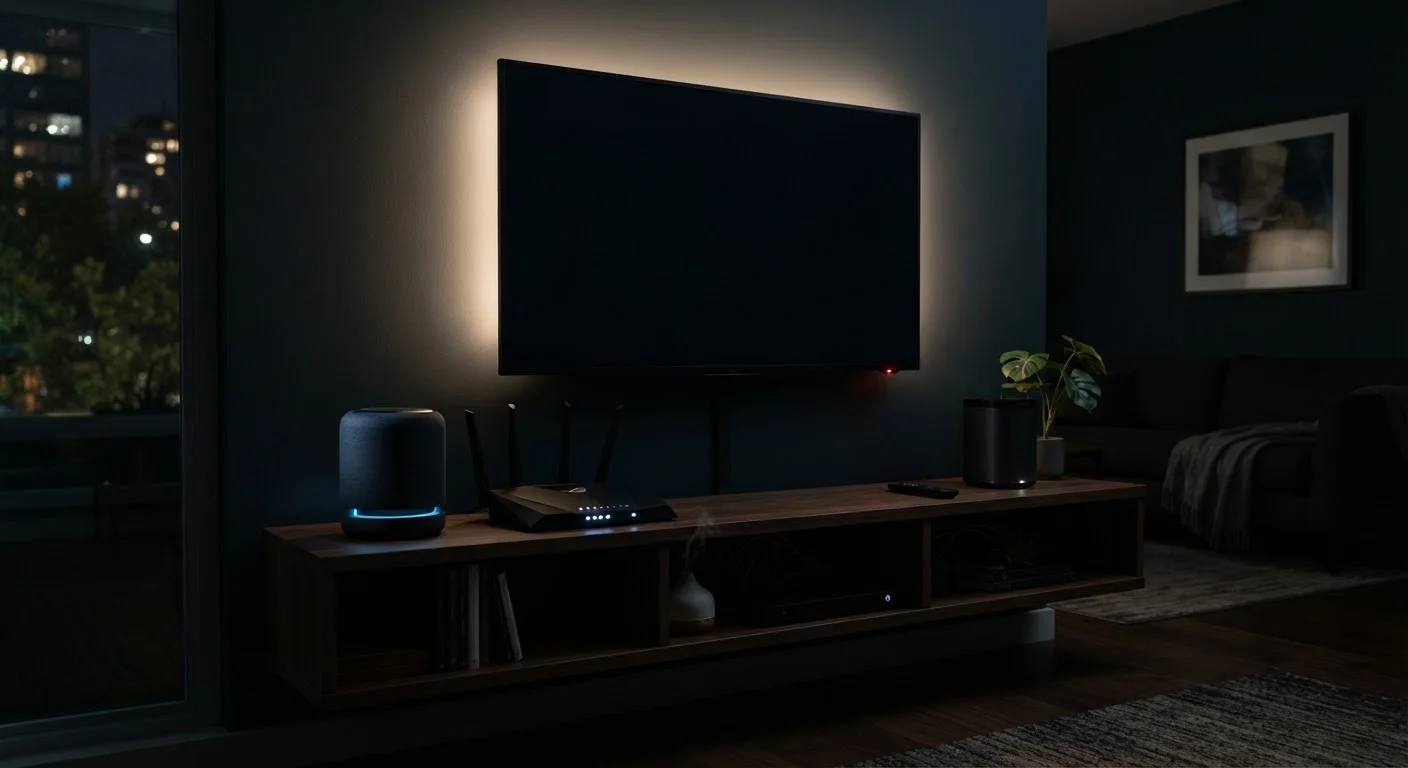
Many smart TVs maintain a live network connection in standby, quietly drawing power all night.
Routers and Modems
Home routers and modems are almost always on — and by design. They typically draw between 5 and 20 watts continuously, which adds up significantly over a month. Because they need to maintain an internet connection for all the devices in your home, most households leave them running 24/7.
While shutting a router off overnight is technically possible, it can disrupt smart home devices, security cameras, or scheduled downloads. A more targeted approach is to use a router with built-in scheduling features that reduce activity during low-use hours. Understanding how your router fits into the broader picture of connected devices is worthwhile — our article on how home electronics connect and communicate covers this in depth.
Routers run continuously and can draw up to 20 watts — making them a steady, easy-to-overlook drain.
Game Consoles
Gaming consoles are notable standby power consumers. Older-generation consoles were particularly problematic, sometimes drawing 15 watts or more in standby to enable background downloads or instant-on features. Newer consoles have improved efficiency, but standby draw still varies considerably based on settings.
If your console is configured to download updates or stay network-connected while idle, it will use meaningfully more power than if set to a low-power shutdown. Checking your console's power settings and switching off automatic background downloads when not needed can reduce idle consumption without sacrificing convenience.
Consoles set to download updates overnight can draw as much power in standby as a lamp left on.
Smart Speakers and Voice Assistants
Smart speakers are among the most persistently active devices in a home. Because they are always listening for a wake word, they maintain a continuous low-power state — typically 1 to 3 watts — at all times. Multiply that across several devices spread through a home, and the combined draw becomes more significant than it first appears.
Some smart speakers also act as hubs for other smart home devices, which can require slightly higher baseline power levels. If you have concerns about both energy use and data privacy from always-on devices, our piece on smart home devices, convenience, and privacy covers both dimensions in practical terms.
Always-on listening means smart speakers never truly rest — even at 1–3 watts, they run all year long.
Cable and Satellite Boxes
Cable and satellite set-top boxes have historically been among the worst performers for idle energy use. Many older models draw between 15 and 30 watts continuously — even when you're not watching — because they need to record scheduled programming and receive guide updates at any hour.
Newer models have improved, and some providers offer energy-saving modes that reduce power in deep sleep. However, if the box is set to record programs overnight, it will remain in a higher-power state. Checking with your provider about energy-efficient models or enabling available sleep modes can help reduce unnecessary draw.
Older cable boxes can draw as much power idle as a desktop computer — yet sit unused most of the day.
Laptop and Phone Chargers
Wall chargers and power adapters left plugged in without a device attached still draw a small amount of power — often referred to as phantom load or vampire power. Individually, the draw is minor (usually under 1 watt), but across a household with many adapters, the cumulative effect is measurable over time.
The practical fix is straightforward: unplug chargers when devices are fully charged or when the charger isn't in use. Smart power strips — which cut power to peripheral outlets when a primary device turns off — are a low-effort way to manage multiple chargers and accessories at once. For a fuller look at what devices actually cost monthly, see our guide to home electronics energy costs.
Phantom load from idle chargers is small per device, but dozens plugged in across a home add up quietly.
How to Measure Your Own Devices
A plug-in energy monitor (sometimes called a watt meter or power monitor) lets you measure exactly how much power any device draws in real time, in standby, and when fully active. These tools are widely available and require no technical knowledge to use — simply plug the device into the monitor, then plug the monitor into the wall. This is the most reliable way to know your actual numbers rather than relying on manufacturer estimates, which can vary by settings and usage patterns.
Reducing Idle Draw Without Major Disruption
Cutting standby energy use doesn't require turning your home into a tech-free zone. A few consistent habits make a real difference. Unplugging chargers and accessories when not in active use eliminates phantom load with no cost or effort. Reviewing the power and standby settings in your televisions, consoles, and smart speakers takes only a few minutes and can meaningfully reduce their idle draw.
Use Smart Power Strips Strategically
Smart power strips can automatically cut power to devices in standby when a primary device — like a television — is switched off. This is especially useful for entertainment centers where multiple devices (soundbars, streaming boxes, game consoles) are clustered together. Look for strips with individually switchable outlets so you can leave always-needed devices like routers powered while cutting off the rest. Pairing this habit with surge protection practices also helps protect your electronics over time.
For households with many connected devices, understanding which ones genuinely need to stay on around the clock — and which ones can be powered down — is a practical first step. Routers typically need to stay live; a second TV in a guest room generally does not. Taking stock of what's plugged in, and pairing that awareness with a basic energy monitor, gives you the information needed to make informed decisions about your home's energy habits.


