Why a Receipt Is More Than a Transaction Record
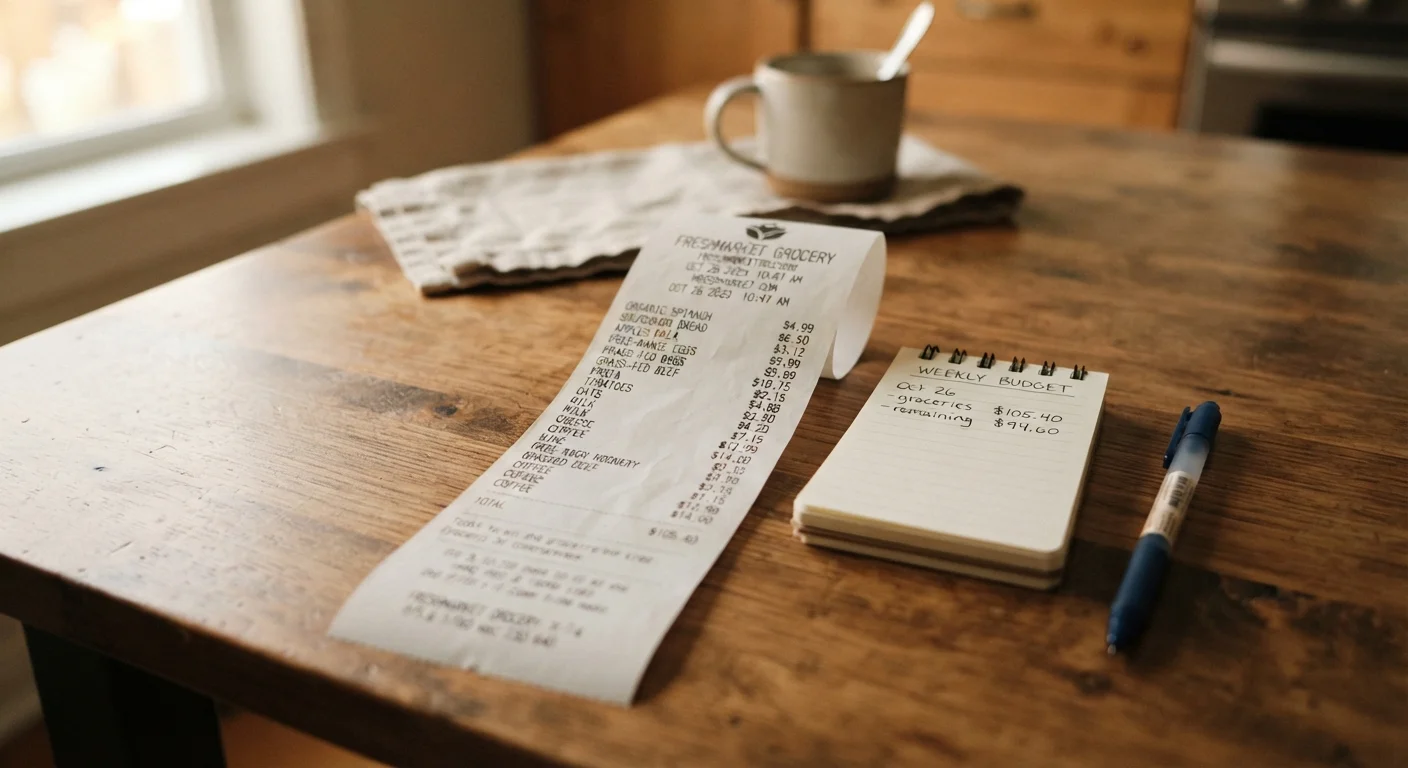
Most people glance at the total, pocket the slip, and move on. That habit is worth reconsidering. A grocery receipt is one of the few documents in daily life that captures exactly where household money goes, item by item, with dates and prices attached. Used deliberately, it functions as a spending audit you generate automatically every time you shop.
The challenge is that receipts aren't designed for analysis — they're designed for checkout. Line items appear in the order they were scanned, not grouped by type or ranked by cost. That makes patterns hard to see at a glance. The steps in this guide impose that structure so you can extract the useful signal.
Understanding your receipt data also complements the broader goal of building a workable personal budget. Food spending is one of the most variable categories in a household budget and one of the most controllable — which makes receipt-level detail especially valuable.
What you will need
What the Numbers Are Actually Telling You
Once you've worked through the steps above and categorized a few receipts, a few specific signals are worth watching for:
- Category imbalance: If packaged foods represent a disproportionate share of your total, that's useful to know — both for the budget and for nutritional awareness. A clearer read on nutrition labels can also help you evaluate those purchases more fully.
- Impulse clustering: Items near the end of a receipt often reflect end-of-trip add-ons — grab-and-go items, checkout lane purchases, or things added without a list. These are frequently the lowest-value purchases.
- Price creep: Comparing the same items across receipts from different months reveals gradual price increases that are easy to miss trip by trip but significant over time.
Group by Category Before You Total
Rather than scanning a receipt top to bottom, try grouping line items mentally or on paper into produce, protein, packaged goods, beverages, and non-food. This reveals your actual spending mix faster than eyeballing the subtotal. Over several receipts, patterns become hard to ignore — and easy to act on.
For strategies on adjusting once you've identified problem areas, see stretching a grocery budget without eating less.
Loyalty Savings Aren't Always Real Savings
Most receipts display a 'card savings' or 'member discount' total that can look impressive. However, loyalty pricing frequently involves marking up the non-member price first. Before assuming you saved, compare the member price to comparable items at other stores. For a deeper look at this dynamic, see how loyalty programs actually work.
Check the basics: date, store, and payment method
Before looking at individual items, note the date and store location printed at the top. This tells you which shopping trip you're analyzing and whether any regional pricing differences might apply. Also check the payment summary at the bottom — if you used a loyalty card, the receipt will typically show a 'you saved' figure there. Hold that number in mind; you'll evaluate it critically later.
Scan for quantity and unit price columns
Many grocery receipts print both the quantity purchased and the per-unit or per-pound price alongside the extended total. If your receipt includes this, pay close attention. A price that looks reasonable per item may reveal itself as expensive per ounce or per pound when compared to alternatives. If unit prices aren't printed, divide the line total by the quantity to calculate it yourself.
Categorize every line item by type
Work through the receipt and group each item into a category: produce, protein (meat, fish, eggs, dairy), packaged and processed foods, beverages, household and cleaning supplies, and snack or impulse items. Write a running subtotal for each group. This step is where the receipt stops being a list and starts being information. Most people are surprised by how much of their total lands in packaged goods or beverages.
Evaluate discounts and promotional prices honestly
Locate any sale prices, digital coupon savings, or loyalty discounts listed on the receipt. For each one, ask a straightforward question: would you have bought this item at full price? If the answer is no, then the discount drove a purchase you didn't need — which means it cost you money, not saved it. Also verify that sale items were actually rung up at the advertised price. Scanning errors are not uncommon, and most stores will correct them if you flag them promptly.
Identify repeat items and assess their value
Look for items that appear across multiple recent receipts. These are your household staples — and they deserve scrutiny. Are they items your household genuinely depends on, or are they habitual purchases that don't get fully used? Cross-reference this list with what you actually consumed since your last trip. Any repeat item that frequently goes to waste is a candidate for reducing quantity or eliminating. For more on which staples quietly drain budgets, see pantry staples that quietly drain your grocery budget.
Compare your category totals to your budget
Take the category subtotals you've built and compare them to what you intended to spend. If you had no specific per-category targets, this is a useful moment to set them. A receipt-based budget starts from what you actually spend — which is more accurate than guessing. If one category is consistently over, that's where to focus adjustment, not across the whole cart. This kind of granular tracking connects directly to hidden spending patterns that derail budgets.