

Why a Pre-Mount Checklist Matters
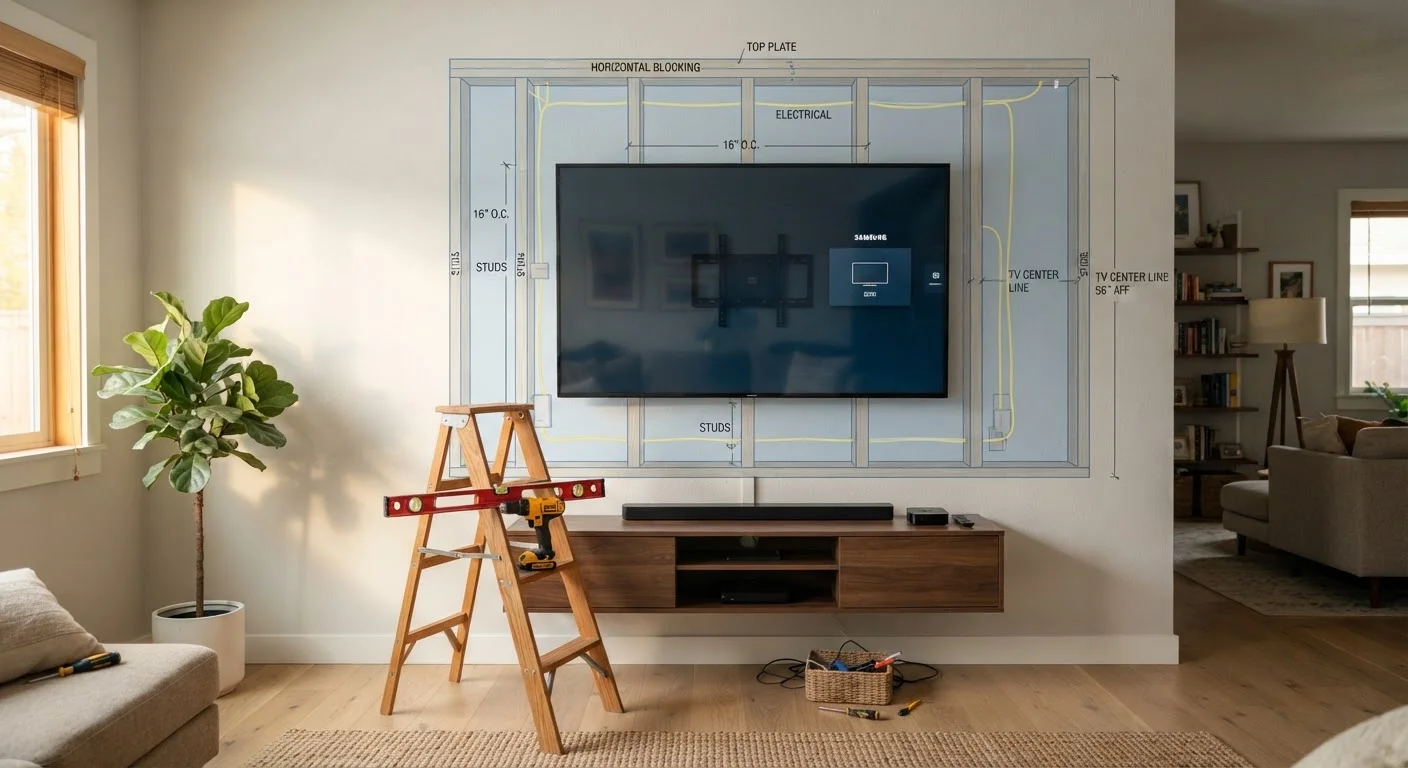
Wall-mounting a TV looks straightforward — and for a prepared household, it genuinely is. But skipping even one of the steps below can result in a crooked screen, a TV mounted on drywall with no stud support, or cables with nowhere to go. This checklist walks you through every verification worth making before a single hole is drilled.
If you're also thinking through which room the TV belongs in, the room-by-room planning checklist covers layout decisions that pair well with this guide.
Wall and Structure
TV and Bracket Compatibility
Viewing Position and Height
Cable and Power Planning
Safety and Installation Readiness
Tools and Supplies You'll Need
Having the right equipment on hand before you start prevents mid-project trips to the hardware store. Here's what to gather:
Stud finder
Detects wood studs or metal framing behind drywall so anchor points are structurally sound.
Multiscanner or cable detector
Identifies hidden electrical wires, pipes, and metal inside walls before drilling.
Bubble level (or digital level)
Ensures the bracket and TV are mounted perfectly horizontal.
Power drill with drill bit set
Drives pilot holes and lag screws into studs and for attaching the bracket securely.
Tape measure
Used to mark stud locations, viewing height, and cable length requirements accurately.
Pencil or painter's tape
Marks stud centers and bracket alignment lines on the wall without permanent damage.
Cable raceway or in-wall cable kit
Routes power and AV cables neatly and safely after the TV is mounted.
Surge protector power strip
Protects the TV and connected devices from voltage spikes after installation.
Do Not Mount Into Drywall Alone
Drywall anchors alone are not rated to hold the weight of a large television over time, especially when vibration or accidental bumps occur. Always secure the bracket to at least two wall studs. If studs don't align with your preferred placement, consult a professional installer who can recommend structurally safe alternatives.
In-Wall Wiring Has Code Requirements
Running power cables inside walls requires UL-rated in-wall cable kits — standard extension cords are a fire hazard and violate most local building codes. If you need a new outlet added inside the wall cavity, hire a licensed electrician. Electrical work without proper permits can affect homeowner's insurance coverage.
After the TV Is Up: Next Steps
Once your TV is securely mounted, a few follow-through tasks will protect your investment long-term. Tug gently on the bracket — it should have zero give. Confirm all cables are seated fully and not bent at sharp angles near ports. For a plain-English breakdown of every port on your screen, see this guide to TV inputs and outputs.
Plug your TV and any connected devices into a quality surge protector to guard against electrical spikes. Protecting home electronics from surges, heat, and dust outlines the habits that extend device life over years, not just months.
Finally, take a photo of the wall area before covering it with the TV — it documents where studs and cables run, which is useful if you ever need to make repairs or remount.
Check Weight Limits Before Every Step
The bracket, the wall studs, and the mounting bolts each have independent weight ratings — your setup is only as strong as the weakest link. Verify all three against your TV's actual weight (listed in the manual or on the manufacturer's website) before proceeding. Exceeding any one rating creates a fall risk that can damage the TV, the wall, and anyone nearby.


