

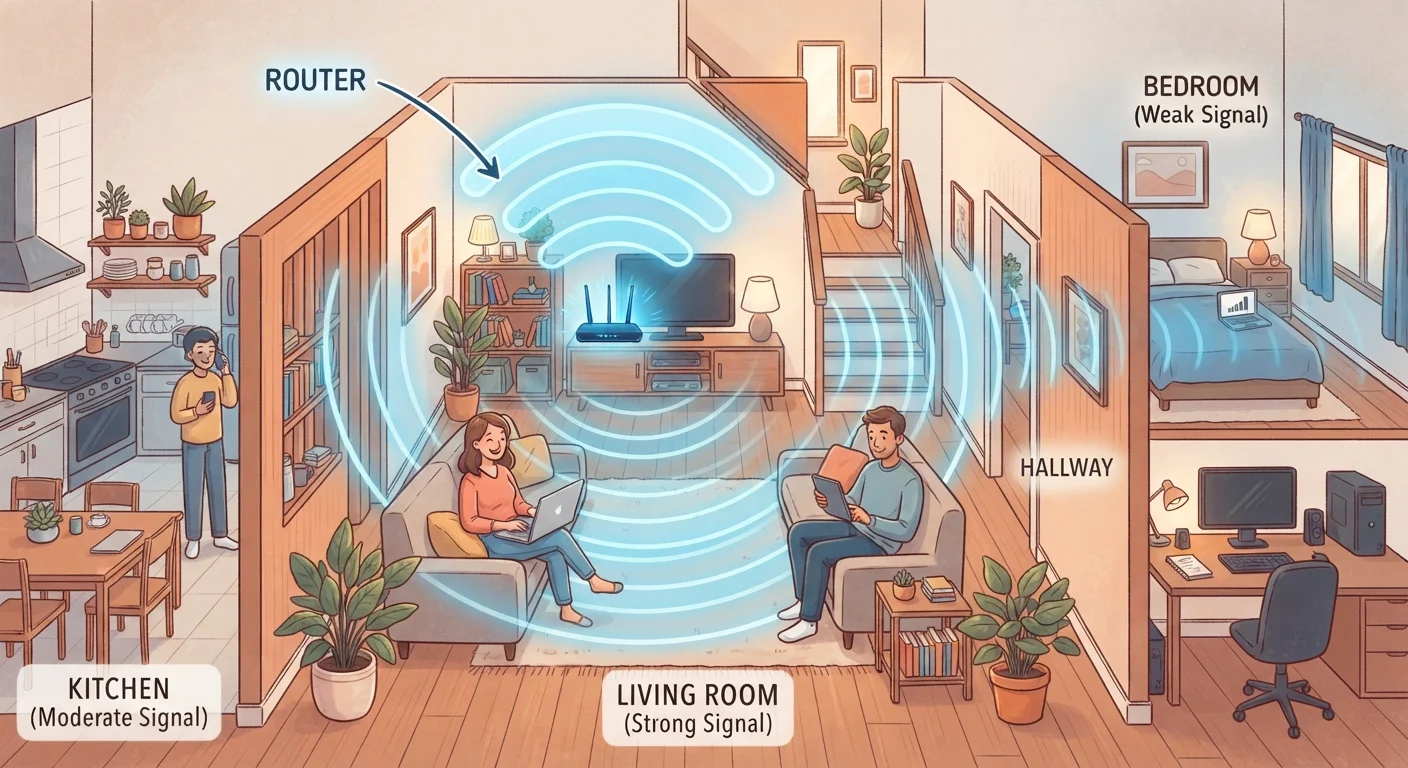
Why Dead Zones Happen
Wi-Fi signals weaken as they travel through walls, floors, and large open spaces. Dense construction materials like concrete, brick, and even older plaster walls absorb or scatter wireless signals far more than standard drywall. Interference from neighboring networks, appliances, and other electronics compounds the problem. The result: slow or dropped connections in bedrooms, basements, garages, and back corners of the house.
Before choosing a fix, it helps to understand your current setup. If you're new to home networking or need a primer on routers, modems, and bandwidth, see our home network basics guide. Knowing where your main router sits and what's between it and your problem area will shape which solution works best.
Range Extenders: Simple but With Trade-offs
A Wi-Fi range extender — sometimes called a repeater or booster — picks up the existing signal from your router and rebroadcasts it. You plug it into a power outlet roughly halfway between your router and the dead zone, and it creates an extended bubble of coverage.
The upside: Range extenders are inexpensive and require minimal setup — usually just pressing a WPS button or logging into a simple app. For a single room or a modest gap in coverage, they can work reasonably well.
The downside: Extenders typically cut available bandwidth in half because they receive and retransmit on the same channel. Many also create a separate network name (SSID), meaning your phone won't automatically hand off between the main router and the extender — you may have to switch manually. They're best suited to lower-demand uses like browsing or smart speakers rather than high-definition video streaming or video calls.
Placement Makes All the Difference
For any range extender to work effectively, place it where it can still receive a strong signal from your main router — not in the dead zone itself. A good rule of thumb is to position the extender halfway between your router and the problem area. If the extender's signal indicator shows a weak connection to the router, move it closer to the source.
Mesh Systems: Whole-Home Coverage Done Right
A mesh Wi-Fi system replaces your existing router with a set of coordinated nodes placed around your home. Each node communicates with the others to form a single, unified network. Your devices connect to whichever node provides the strongest signal, and the handoff happens automatically and invisibly.
Mesh systems use dedicated communication channels between nodes — called backhaul — so the speed penalty is far lower than with traditional extenders. Setup is generally app-guided and approachable for non-technical users. For a deeper look at how mesh compares to a single router, see our article on mesh Wi-Fi vs. a single router.
The main trade-off is cost — mesh kits are significantly pricier than extenders. They're most worth it for homes over 2,000 square feet, multi-story layouts, or households with many connected devices.
| Range Extender | Mesh System | Powerline Adapter | |
|---|---|---|---|
| Typical cost | $20–$80 | $150–$400+ | $40–$120 per pair |
| Setup difficulty | Very easy | Easy (app-guided) | Easy to moderate |
| Speed impact | Significant reduction | Minimal with tri-band backhaul | Depends on home wiring age |
| Seamless roaming | Often no (separate SSID) | Yes | Varies by model |
| Best home size | Small / apartments | Medium to large | Any size with thick walls |
| Interference resistance | Low | Moderate to high | Very high (wired path) |
| Requires new hardware | Extender only | Replaces router | Two adapters minimum |
Powerline Adapters: Using Your Electrical Wiring as a Network
Powerline adapters take a different approach altogether. You plug one adapter into a wall outlet near your router and connect it with an Ethernet cable. A second adapter goes into any other outlet in your home — even in a distant room — and your home's existing electrical wiring carries the internet signal between them. The second adapter can then provide a wired Ethernet port or a local Wi-Fi hotspot in that room.
This approach bypasses wireless interference entirely and works well in homes where thick walls or poor building layouts defeat radio signals. Speeds vary depending on the age and condition of your home's wiring, and powerline adapters don't work well across different electrical circuits (such as a detached garage on its own breaker).
Powerline adapters are particularly useful for gaming consoles, smart TVs, or desktop computers that benefit from a stable, wired-speed connection in a room far from the main router.
Check Your Home's Wiring Before Buying
Powerline adapters require both adapters to be on the same electrical circuit to work reliably. Older homes with mixed wiring, GFCI outlets, or surge-protected power strips can interfere with or block the signal entirely. Plug adapters directly into wall outlets — never into extension cords or power strips — for the best results.
Choosing the Right Solution for Your Home
No single solution fits every household. Your decision should be based on three factors: the size and construction of your home, how you use the internet in those dead zones, and your budget.
If you're starting from a solid router setup and want to expand it, our guide to setting up a home Wi-Fi network without a technician covers how to position your router optimally before adding any extension hardware. Smart home device owners should also consider how their gadgets connect — not all use standard Wi-Fi. See our overview of Wi-Fi, Zigbee, and Z-Wave protocols to understand which devices might benefit most from improved coverage.
70%+
US households with multiple connected devices
According to Pew Research Center surveys, the majority of American households now run numerous internet-connected devices simultaneously.
~30%
Signal loss through a single interior wall
General wireless engineering estimates suggest a standard interior wall can reduce Wi-Fi signal strength by around 30%, with brick or concrete causing significantly more loss.
In some homes, a combination approach works best — for example, a mesh system on the main floors with a powerline adapter extending coverage to a finished basement. The goal is consistent, reliable connectivity throughout your space without overcomplicating the setup.


