

Why the Tablet vs. Laptop Question Isn't Simple Anymore
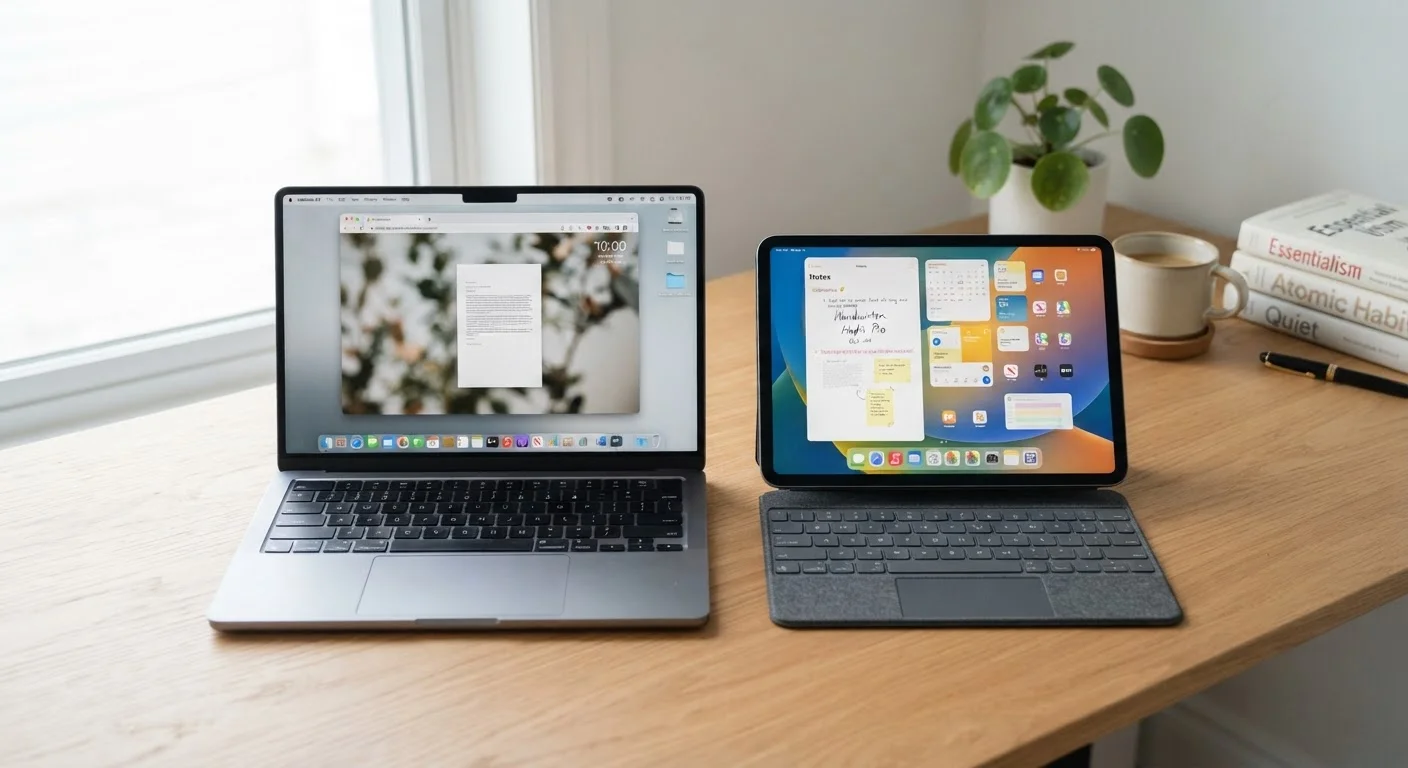
A few years ago, tablets were clearly for casual use and laptops were clearly for work. That line has blurred. Tablets now come with optional keyboards and styluses, while thin-and-light laptops rival tablets on portability. Yet they still aren't interchangeable — and buying the wrong one for your habits creates daily friction.
The question isn't really which device is better in the abstract. It's which one fits the way you actually spend time on a screen. That means thinking honestly about your daily tasks, where you use your device, and whether a physical keyboard matters to you most of the time.
For a broader look at how portable computing options compare, see our breakdown of laptops vs. desktops — it covers the portability-versus-power tradeoff in more depth.
| Tablet | Laptop | |
|---|---|---|
| Portability | Lighter, thinner, easier to carry | Heavier, but still portable |
| Battery life | Typically longer in everyday use | Varies; often shorter under load |
| Typing comfort | Awkward without add-on keyboard | Physical keyboard standard |
| Multitasking | Limited by OS and screen size | Stronger; full windowed apps |
| Software range | App store only; some gaps | Full desktop software access |
| Media consumption | Excellent; touch-native interface | Functional but less comfortable |
| File management | More limited and less intuitive | Full filesystem access |
| Starting price range | Generally lower entry point | Wider range; entry level competitive |
What Tablets Do Well — and Where They Fall Short
Tablets are optimized for touch-first interaction. Scrolling articles, watching video, reading e-books, video calling, and casual games all feel natural on a tablet's screen. The form factor is genuinely comfortable to hold for long periods, and battery life on most modern tablets tends to outlast comparable laptops.
Portability is another real advantage. Without a hinge, keyboard, or cooling system, tablets are lighter and thinner. Slipping one into a bag feels effortless. Airports, coffee shops, and couches are natural tablet environments.
Where tablets struggle is sustained productivity. Managing folders, working in spreadsheets, writing long documents, or running desktop-class software gets awkward without a physical keyboard and mouse. Multitasking across several apps simultaneously is more limited on most tablet operating systems than on a laptop's full OS. If you add a keyboard case and stylus to compensate, you've spent more and added bulk — partly recreating what a laptop already provides. Our guide on the real tradeoffs of using a tablet as your primary device walks through this tension in detail.
Try Before You Commit to Accessories
If you're considering a tablet for productivity, test the keyboard and stylus experience in a store before purchasing both together. Many users find the combined cost and physical bulk of a fully accessorized tablet approaches what a thin laptop would have cost outright. Understanding that tradeoff early saves both money and frustration.
What Laptops Do Well — and Where They Fall Short
Laptops run full operating systems (Windows, macOS, or Linux), which means access to the widest range of software, including professional tools that simply don't exist in tablet app stores. A physical keyboard, trackpad, and the ability to open multiple windows side-by-side make sustained work — writing, coding, analysis, design — significantly more comfortable.
File management is more intuitive on a laptop. Organizing documents into folders, downloading and installing software, or connecting to peripherals like an external monitor or printer involves fewer workarounds.
The tradeoff is weight, heat, and ergonomics. Laptops aren't as pleasant to hold in bed or on a couch. Battery life, while improving, rarely matches the stamina of tablets in everyday mixed use. And laptops can feel like overkill if your daily screen time is mostly streaming and reading.
For a candid assessment of where laptops genuinely underdeliver, our article on the honest tradeoffs of laptop ownership is worth reading before you decide.
~55%
US adults who own a laptop
Pew Research Center surveys consistently show laptop ownership outpaces tablet ownership among American adults.
~53%
Tablet owners who also own a laptop
Industry surveys suggest the majority of tablet owners use their tablet alongside, not instead of, a laptop or desktop.
How to Think Through the Decision for Yourself
Start with your three most common screen activities. If they're watching video, reading, browsing social media, and video calling — a tablet likely covers your needs well. If they include writing emails, working in spreadsheets, editing documents, or jumping between multiple applications — a laptop will serve you more comfortably.
Consider where you use your device most. Primarily at a desk or table? A laptop's form factor works naturally. Primarily on the go, in transit, or around the house? A tablet's lighter weight and longer battery earn their keep.
Think about software requirements. If your job or school requires specific applications — a particular accounting tool, design software, a company VPN — confirm they're available on the platform before deciding. Some tools only run on full desktop operating systems.
Finally, factor in budget realistically. Adding a keyboard and stylus to a tablet can close the productivity gap somewhat, but that combination often approaches the cost of an entry-level laptop. If you're weighing a device that can do both adequately, our Computers & Laptops hub has resources to help you think through the full landscape of options.
If you're also weighing how a tablet compares to simply using a larger smartphone, see our smartphone vs. tablet guide for a focused look at that decision.


